Free vs Paid Antivirus Software: What’s the Difference?
Deciding between free vs paid antivirus software is a common dilemma for anyone trying to secure their digital life. While the core mission of any security product is to keep your device safe from threats, the path they take to get there varies significantly.
Understanding the trade-offs between zero-cost options and premium subscriptions allows you to balance your budget with your actual risk profile. This breakdown clarifies what you gain by opening your wallet versus relying on complimentary tools, helping you choose the right level of protection for your personal or professional needs.
The Fundamental Protection Gap

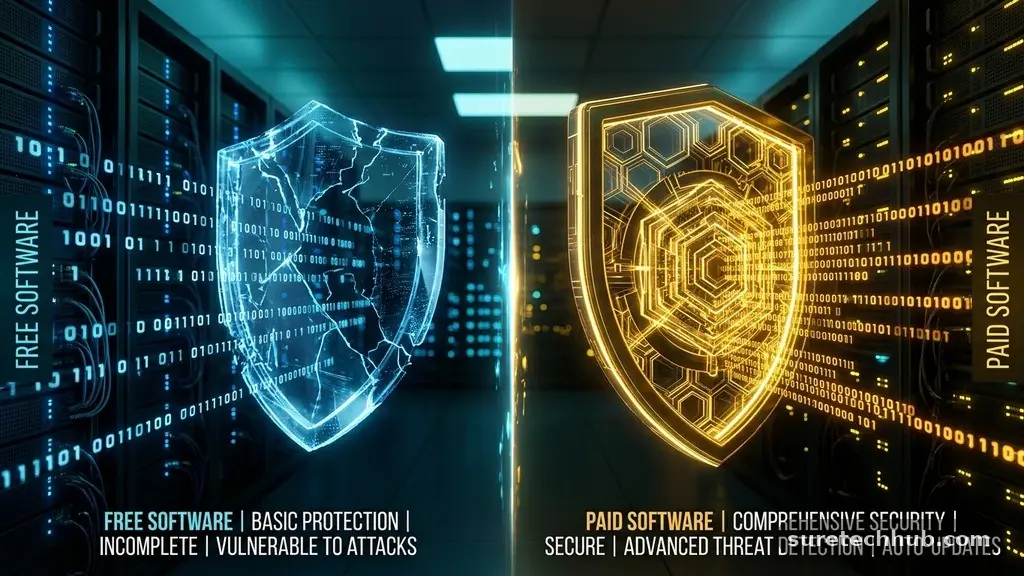
At their heart, both free and paid antivirus software rely on the same fundamental virus-scanning engines. If a developer offers a free version, it almost always uses the exact same malware-detection technology as their flagship paid product.
This means that if a piece of ransomware or a trojan attempts to infect your computer, both versions will likely flag it with equal efficacy. You aren’t necessarily getting “weaker” security when you stick to the free tier of a reputable brand.
The real difference lies in the scope of that protection. Free tools are typically designed to handle “on-access” scanning, which checks files as you open them, and manual scans of your hard drive.
Paid suites, however, extend this reach into active web monitoring, behavioral analysis, and specialized anti-phishing modules. While the free version stops the virus from executing, the paid version often blocks the malicious website before the file ever reaches your machine.
Feature Sets and Added Tools
When you transition to a paid antivirus solution, you are primarily paying for convenience and extra layers of digital privacy. Many free versions are stripped-down products that focus exclusively on malware removal.
In contrast, premium tiers often include password managers, secure VPNs, and file shredders. These tools aren’t strictly necessary for basic protection, but they significantly simplify your security maintenance.
Consider the following common differences in feature availability:
- Automated Updates: Paid versions often handle background updates more aggressively.
- Customer Support: Premium users usually gain access to 24/7 live chat or phone support.
- Multi-Device Licensing: A single paid subscription often covers five to ten devices across different operating systems.
- Identity Protection: Many paid suites monitor the dark web for your personal data or credit card numbers.
- Parental Controls: Advanced filtering for children’s online activity is almost exclusively a paid feature.
The Impact on System Performance
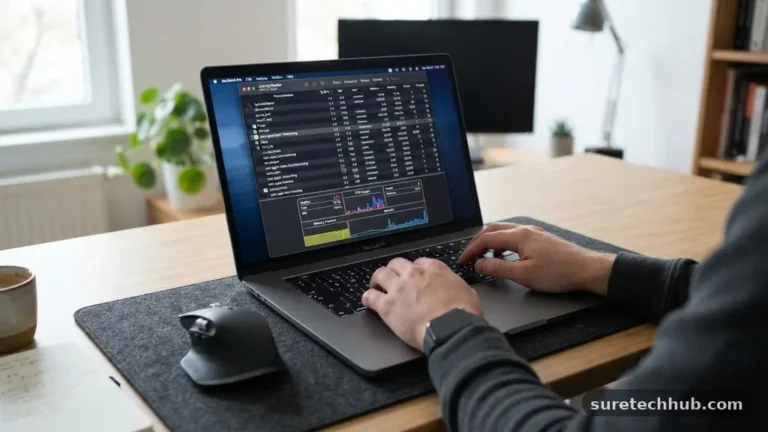
A common misconception is that paid software is inherently lighter on system resources than free software. In reality, the opposite is often true because paid suites pack in more background processes. Because premium versions include extra tools like system optimizers, firewalls, and cloud-based backup services, they can consume more RAM and CPU power than a simple, lightweight free scanner.
If you are running an older computer with limited memory, a “bloated” security suite might actually slow down your daily tasks. In these cases, a minimalist free antivirus might be the superior choice for performance.
You should always check the minimum system requirements for any software before committing to a long-term subscription. Most vendors provide a trial period, which is the best time to monitor your system’s responsiveness during full-disk scans.
Targeting Small Businesses and Professionals
For small businesses, the choice between free vs paid antivirus software is rarely a debate. Most free licenses are strictly for personal, non-commercial use, meaning using them in an office environment could violate the terms of service.
Commercial licenses include centralized management consoles, which allow a single administrator to monitor the security status of every laptop in the company. This is a critical distinction when you need to ensure every employee is protected against a potential data breach.
Professional suites also offer specialized security for servers and email gateways. These tools detect threats specific to business environments, such as business email compromise (BEC) attacks or unauthorized attempts to access network shares.
Relying on individual free antivirus installations across a business fleet is a recipe for disaster. You lose visibility, and you gain no centralized control over policy enforcement or threat reporting.
Comparing Costs and Value
To understand the financial implications, it helps to look at the typical market structure for these products. The following table provides a general comparison of what you can expect when choosing between these two paths.
| Feature Category | Free Antivirus | Paid Antivirus |
|---|---|---|
| Core Malware Detection | Standard | Standard |
| Customer Support | Community Forums | Live 24/7 Support |
| Device Coverage | Single Device | Multiple (Cross-Platform) |
| Extra Privacy Tools | Limited or None | Full Suite Included |
| Commercial Use | Prohibited | Permitted |
The value proposition of paid security depends on how much you rely on your devices for sensitive tasks. If you only browse news sites and check email, the free version is likely sufficient.
However, if you store financial records, manage a business, or handle sensitive client data, the cost of a subscription is often pennies compared to the potential financial fallout of a security compromise. For more information on identifying and mitigating these digital threats, you can review the Cybersecurity Essentials provided by CISA.
Common Questions About Antivirus Protection
Do I really need a paid antivirus if I use a Mac or Windows Defender?
The built-in security in modern operating systems, such as Windows Defender, has become excellent over the years. For most casual users, it provides enough protection to stop common threats. You only need a third-party paid suite if you require specialized features like identity theft protection, advanced parental controls, or cross-platform management.
Is the paid version of a popular brand actually better than the free one?
The detection engine is usually identical, but the paid version is “better” in terms of the ecosystem. You get fewer pop-ups asking you to upgrade, more comprehensive support, and tools that help with privacy. You are paying for a more integrated experience rather than a more powerful virus scanner.
Which antivirus is best if I want to stay with the free version?
Many companies like Bitdefender and Kaspersky offer free versions that are highly rated for their low impact on system resources. These are excellent choices because they don’t compromise on the quality of their detection engines. Just be sure to download them directly from the official developer website to avoid bundled software.
Can I get malware even with paid antivirus software?
Yes, absolutely. No software can offer 100% protection because new, “zero-day” threats appear every day that security companies haven’t seen before. The best antivirus software is only one part of a broader strategy, which must include regular backups, software updates, and safe browsing habits.
Is it worth paying for antivirus software if I am very careful online?
If you are highly disciplined, use a password manager, and never click on suspicious links, you may find the free version perfectly adequate. However, a paid subscription acts as a safety net for those moments when you might be tired or distracted. It provides an extra layer of defense against sophisticated phishing campaigns that can fool even experienced users.
Final Thoughts on Your Security Choice
Choosing between free vs paid antivirus software comes down to your personal habits and your risk tolerance. A free version is a fantastic, high-quality starting point for any home user who practices basic digital hygiene.
It effectively shields your system from the vast majority of common threats without asking for a dime. Conversely, a paid subscription is a wise investment if you manage a business, require 24/7 support, or want the convenience of an all-in-one privacy suite.
Regardless of your choice, the most important factor remains keeping your software updated and running scheduled scans. Security is an active process, not a “set it and forget it” task.
Take a moment to evaluate your current digital life, identify the features you actually use, and select the protection level that gives you the most peace of mind. Your data is valuable, so choose the tools that best help you protect it.