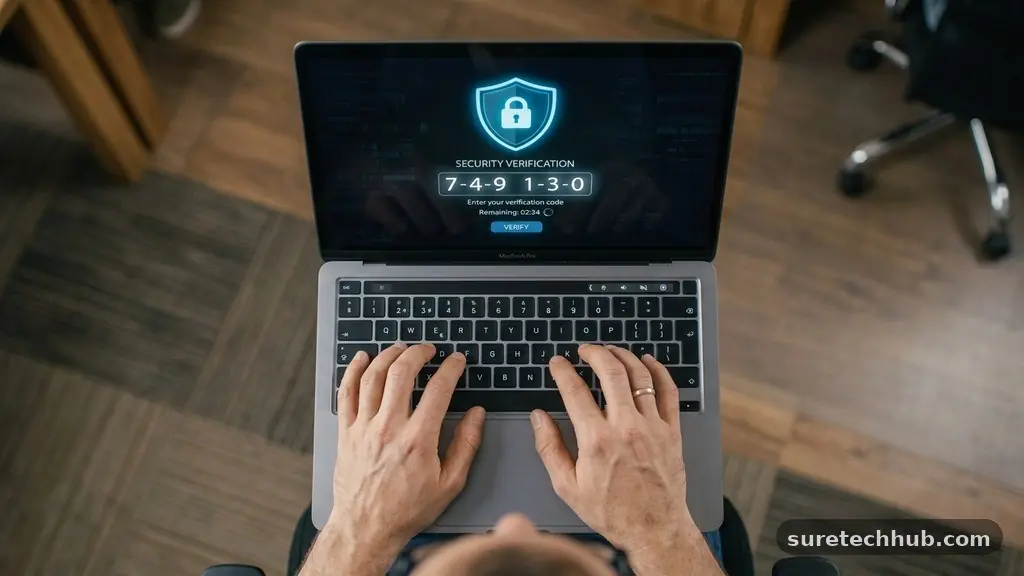
What Is Two-Factor Authentication and Why Does It Matter?
Understanding two-factor authentication and why does it matter involves looking at the fundamental shift in how we protect our digital lives. When you rely solely on a password, you are leaving your accounts vulnerable to simple data breaches.
By adding a second layer of verification, you ensure that even if a hacker guesses your credentials, they remain locked out of your private information. This article explores the mechanics of these security measures and the practical steps you can take to stay safe online today.
Defining the Basics of Account Security
At its core, two-factor authentication is a security process that requires two different forms of identification to access an account. Instead of just entering a password, you must provide a second piece of evidence to prove your identity. This second factor is typically something you have, like a mobile phone, or something you are, such as a fingerprint.
The primary goal is to stop unauthorized access even if a malicious actor steals your password. Because most data breaches involve millions of stolen passwords circulating on the dark web, relying on a single secret string of characters is no longer sufficient. When you implement this extra step, you create a significant hurdle that most automated hacking tools cannot clear.
How the Verification Process Actually Works
When you log into a service, the system first checks your password as the initial factor. If the password matches, the system pauses and requests the second factor. This might arrive as a text message, an email code, or a push notification sent to a trusted app on your smartphone.
Once you provide that correct code or confirm the prompt, the system grants you access. This entire sequence takes only a few seconds but changes the security posture of your account entirely. Without that physical possession of your device, an intruder cannot complete the login, effectively neutralizing the stolen password.
Comparing Different Authentication Methods
Different platforms offer various ways to satisfy the requirement for a second factor. Each method carries its own balance of convenience and security, which is important for the average user to consider.
| Method | Security Level | Convenience |
|---|---|---|
| SMS/Text Code | Moderate | High |
| Authenticator App | High | Medium |
| Hardware Security Key | Very High | Low |
| Email Verification | Low | Medium |
SMS codes are common because almost everyone has a phone, but they can be intercepted through SIM swapping. Authenticator apps are generally safer because the codes are generated locally on your device without needing a cellular network connection. Hardware keys provide the strongest protection but require you to carry an extra physical object everywhere you go.
Why Extra Layers Are Essential
The reality of modern cyber threats is that your password is often the weakest link. Many people reuse the same password across multiple websites, meaning one minor site breach can compromise your primary email or banking account. By enabling multi-factor authentication, you break this chain reaction.
If a hacker obtains your password for a social media site, they might try to use it to get into your email. If your email account is protected by a second factor, they will immediately encounter a wall. This simple configuration prevents a single bad event from spiraling into a total digital identity disaster.
Implementing Security Across Your Accounts
Most major services now include these settings in their security or privacy dashboards. You should aim to enable this feature on any account that holds sensitive financial or personal data. This includes your primary email, cloud storage services, and any site that stores your credit card information.
- Start with your primary email provider, as it is the “master key” for your other accounts.
- Enable the feature on your banking and investment portals to protect your assets.
- Secure your social media accounts to prevent identity theft and spam.
- Use a password manager to store unique, complex passwords for every single site.
- Always save your “backup codes” in a secure, offline location in case you lose your phone.
Taking these steps might feel like a chore initially, but it significantly reduces your risk profile. You can learn more about specific risks and best practices through the official cybersecurity guidance provided by CISA. Consistently applying these habits makes you a much harder target for automated attacks.
Addressing Common Concerns and Misconceptions
Many users worry that adding extra steps will make their daily digital life frustrating. While it is true that you will have to reach for your phone occasionally, the trade-off is immense peace of mind. Modern systems are quite smart, often allowing you to “trust this device” for a certain period so you aren’t prompted every single time you log in from your home computer.
Another concern involves what happens if you lose your device. This is why it is critical to set up backup methods, such as recovery codes or a secondary phone number, during the initial setup.
Most platforms provide a set of one-time use codes that you can print or store in a safe. If you get locked out, these codes serve as your emergency bypass.
Frequently Asked Questions
Is two-factor authentication being phased out?
No, it is actually becoming more common and sophisticated. While the industry is moving toward “passwordless” logins like biometrics or passkeys, these are still fundamentally forms of multi-factor authentication.
What if I don’t want to use two-factor authentication?
You can usually opt out, but doing so leaves your account significantly more vulnerable to hackers. In many professional or financial settings, it is now a mandatory requirement rather than an optional choice.
Is SMS authentication safe enough for everyone?
It is much safer than using a password alone, but it is not infallible. If you are a high-profile target or handle extremely sensitive data, you should switch to an authenticator app or a hardware security key.
Why is my verification code not arriving?
This is often caused by network delays or a synchronization issue between your device clock and the server. Check your cellular signal, ensure your phone’s time is set to “automatic,” and try requesting a new code if the current one has expired.
Can I use the same authenticator app for multiple sites?
Yes, most authenticator apps allow you to add dozens or even hundreds of different accounts. They function as a centralized hub for all your one-time codes, keeping everything in one place.
Final Thoughts on Digital Protection
Securing your digital presence is not a one-time task but a continuous habit of vigilance. By understanding two-factor authentication and why does it matter, you are taking a massive step toward protecting your identity and your assets from common threats. The effort required to set up these tools is minimal compared to the headache of recovering a compromised account.
If you have not yet enabled these features on your most important accounts, take the time to do it today. Start with your email and banking platforms to ensure your most sensitive data is shielded from unauthorized access. Every small adjustment you make to your security settings creates a stronger, more resilient barrier against those who would try to gain access to your private information.