What Is a VPN and When Should You Use One?
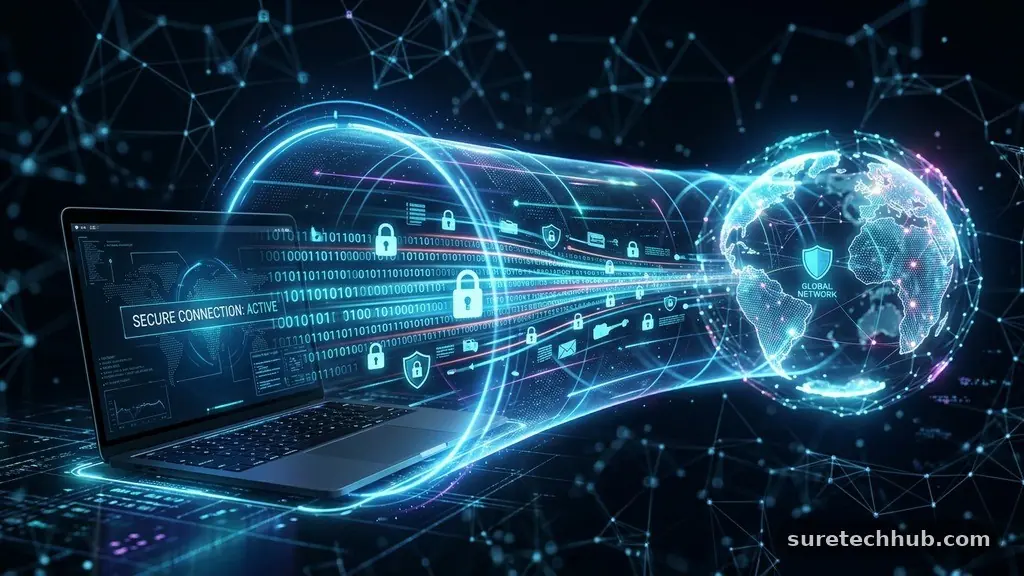
Understanding a VPN and when should you use one is essential for anyone spending time on the modern web. A Virtual Private Network creates a secure, encrypted tunnel for your internet traffic, shielding your activity from prying eyes. By routing your data through a remote server, it masks your IP address and makes your digital footprint harder to trace.
Whether you are working from a local coffee shop or simply want to keep your browsing habits to yourself, this tool provides a critical layer of defense. This article explores how these connections function and identifies the specific scenarios where they provide the most value for your personal data security.
The Core Mechanics of Virtual Private Networks

At its most basic level, a VPN acts as a secure intermediary between your device and the internet. When you connect, your computer or phone establishes an encrypted link to a server operated by your chosen provider.
Your actual internet service provider (ISP) can see that you are connected to a server, but it cannot see the specific websites you visit or the data you exchange. This process effectively scrambles your information, making it unreadable to anyone trying to intercept it.
The encryption process is handled by protocols like OpenVPN, WireGuard, or IKEv2. These protocols dictate how your data is packed and protected as it moves across various networks.
By using these standards, your device ensures that even if a packet of data were intercepted during transit, it would appear as nothing more than random, meaningless characters to a malicious actor. This is particularly important when you are moving sensitive information like login credentials or financial details.
Because your traffic appears to originate from the server’s location rather than your own, you gain a degree of digital anonymity. This is why many people use these tools to bypass regional restrictions on content.
If a website or service checks your IP address to determine your location, it will see the location of the VPN server instead. While this does not make you completely invisible, it does create a significant barrier for those tracking your online behavior.
Security Benefits on Public Wi-Fi Networks
Public Wi-Fi is incredibly convenient, but it is also a playground for cybercriminals. Networks at airports, hotels, and cafes often lack basic security configurations, allowing anyone on the same network to potentially intercept your data.
When you connect to these open signals, you are essentially broadcasting your activity to anyone with the right software. Using a secure tunnel in these environments is one of the most effective ways to protect your personal information.
Without a layer of encryption, your email passwords, banking sessions, and private messages can be exposed. A VPN forces all your traffic through an encrypted tunnel, meaning that even if a hacker is sniffing the local network, they cannot see what you are sending or receiving.
It effectively turns a dangerous public connection into a private, secure one. This is a standard practice for remote workers who must access company resources while traveling.
It is helpful to view this as a digital version of a private office. Instead of working in the middle of a crowded lobby where anyone can look over your shoulder, you are pulling a curtain around your workspace.
Even if you are in a high-traffic area, your specific digital interactions remain shielded from the surrounding environment. This simple step significantly reduces your risk of credential theft or man-in-the-middle attacks.
Privacy and Data Anonymity Online
Privacy concerns extend far beyond public Wi-Fi settings. Even on your home connection, your ISP has the capability to monitor and log your browsing history.
This data is often sold to advertisers or shared with third parties, creating a detailed profile of your habits and interests. Using a VPN prevents your ISP from seeing which domains you are visiting, as they only see the connection to the encrypted server.
This shift in data visibility is a major step toward reclaiming control over your online life. While your browser may still track your activity through cookies or scripts, the underlying network traffic remains obscured from your provider.
This makes it significantly harder for companies to build an accurate profile of your behavior based purely on your network activity. It is not a perfect solution, but it is a fundamental pillar of personal digital hygiene.
Many people also appreciate the ability to mask their geographic location for privacy reasons. Websites often use your IP address to approximate where you live or work, which can be used for aggressive price discrimination or targeted tracking.
By connecting to a server in a different city or country, you break the link between your identity and your physical location. This provides a clean slate for your browsing sessions and helps prevent unwanted location-based profiling.
Evaluating the Cost of Digital Security
When considering a VPN and when should you use one, you must also look at the financial commitment. Most reliable providers operate on a subscription model, typically ranging from a few dollars to over a dozen dollars per month.
While free options exist, they often come with significant trade-offs, such as limited data speeds, intrusive ads, or, worse, the logging and selling of your user data. It is usually safer to opt for a paid service with a clear, audited privacy policy.
The value of a subscription often depends on the features included, such as simultaneous connection limits or the availability of specialized servers. Some providers offer extra tools like ad blockers or malware filters, which can add value to the base service.
If you are protecting multiple devices—including smartphones, tablets, and laptops—you will want to check how many connections the plan allows. Most reputable services support five to ten devices on a single account.
To help you compare the landscape, the following table breaks down common features and considerations when choosing a provider.
| Feature | Why It Matters |
|---|---|
| No-Logs Policy | Ensures the provider does not store your browsing data. |
| Encryption Standard | AES-256 is the industry gold standard for security. |
| Kill Switch | Cuts your internet if the VPN drops to prevent leaks. |
| Server Locations | More options mean better speeds and better location spoofing. |
| Multi-Device Support | Lets you protect your phone, laptop, and tablet simultaneously. |
Performance and Technical Limitations
It is honest to acknowledge that using a VPN can impact your internet performance. Because your data must travel to a remote server before reaching its final destination, you might notice a slight increase in latency or a dip in total download speeds.
This is usually negligible with high-quality providers, but it can be noticeable if you are connecting to a server on the other side of the planet. Choosing a server geographically closer to your physical location often mitigates these issues.
You should also be aware that some websites and services actively block known VPN IP addresses. This is common with certain streaming platforms that enforce strict regional licensing agreements.
If you find a site is not loading correctly, you may need to disconnect or switch to a different server. Most major providers update their IP lists frequently to stay ahead of these blocks, but it remains a cat-and-mouse game.
Additionally, a VPN is not a silver bullet for all security threats. It will not protect you from downloading malicious files, clicking on phishing links, or entering your password into a fake website. You still need to maintain good security habits, such as using strong, unique passwords and enabling two-factor authentication.
Think of this tool as part of a broader strategy, not the only line of defense. You can learn more about general web safety through resources like the Cybersecurity and Infrastructure Security Agency.
Common Questions About VPN Usage
Is there a downside to having a VPN active all the time?
While having a VPN active provides constant protection, it can occasionally cause issues with local services. For example, some banking apps or sensitive government portals may flag your account for suspicious activity because your IP address appears to be in a different region. In these instances, you may need to temporarily disconnect to complete your task.
Do I need antivirus software if I use a VPN?
Yes, you absolutely still need antivirus software. A VPN protects your data during transit, but it does nothing to stop malware or viruses from executing on your actual device. They serve two entirely different security purposes, and a robust defense strategy should include both.
Does the average person really need a VPN?
If you frequently use public Wi-Fi, care about your privacy, or want to avoid ISP data logging, then yes, it is highly recommended. For someone who only uses a home network for basic tasks, it may be less critical, but the privacy benefits generally outweigh the low monthly cost.
How do I know if my VPN is actually working?
You can verify your connection by using an “IP leak test” tool available on many search engines. Simply search for “what is my IP” while the service is off, and then again while it is on. If the location and IP address change to match your server, your connection is functioning correctly.
Final Thoughts on Secure Browsing
Integrating a VPN into your daily routine is one of the most effective ways to enhance your digital privacy and security. By masking your location and encrypting your data, you reduce the risks associated with public networks and third-party tracking. While it is not a replacement for common-sense security habits, it provides a necessary buffer in our connected world.
Start by identifying your specific needs—whether that is accessing content while traveling or protecting your home browsing history—and choose a provider that prioritizes transparency and performance. Staying aware of how a VPN and when should you use one will help you stay safer and more private as you move through your online life. Taking this simple step today ensures that your personal information remains your own business, regardless of where you decide to log in.